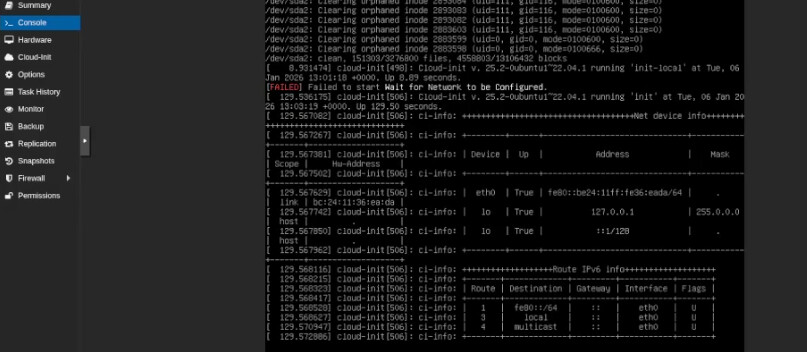
What version are you using? (OS, client, server, etc.) I am using the EPP 2510 hardware running as a server.
For the scenario you’re describing, what settings/configuration do you currently have in place? I am trying to change the network configuration on the device on my proxmox server
What error messages or unexpected behavior are you seeing? No matter what I input into the internet/network configuration, the system always reverts to the same previous IP address. It refuses to assign a new IP or accept the new settings. It seems to be “stuck” on the old configuration.
What have you tried so far? I have tried several troubleshooting steps, including removing and modifying vmbr3, but the system keeps rolling back to the exact same configuration every time. It is worth mentioning that I already have another instance running perfectly on vmbr2, but this specific instance is completely broken.
There is a known issue affecting the VM network configuration in EPP Server versions 2509 and 2510. Our Support team is aware of this and has well-established steps to resolve it quickly.
Please open a support ticket, and our engineers will assist you in getting this sorted asap.
Nice to meet you. As @Zoran mentioned, the issue has already been recognized and addressed, and it will be delivered in the upcoming server patch.
In the meantime, please use the following simple workaround: provide both DNS servers (even if they are the same), and the configuration will be accepted and enforced. I’ve tested this in my Proxmox environment, and it works well.