Solution Download
FS_ScanProxyHosts.zip (11.8 KB)
Summary
Netwrix Access Analyzer (NAA) does not currently have a simple solution for tracking down which File System Access Auditing (FSAA) proxy servers are assigned to which jobs or which hosts are being scanned by which proxies.
Big shout out to Devon Anderson for working out the complexities of correlating host list assignments to jobs, which I used as the foundation for this job. If you haven’t checked out his Admin Tools | Host Assignments and Inventory post yet, you should definitely have a look!
ISSUE
As it stands, in order to determine which FSAA proxy hosts are assigned to which file system scans, whether a permissions scan (FSAA System Scan), an activity scan (FSAC System Scan), or a sensitive data scan (SEEK System Scan) requires first checking the query configuration of the scan in question, reviewing the “Scan Server Selection” configuration, and making note of either the “Specific Remote Server” or “Specific Remote Server by Host List” setting.

If “Specific Remote Servers by Host List” is being leveraged, we additionally need to click the “Select Host Lists” button and note the host list(s) that are assigned.
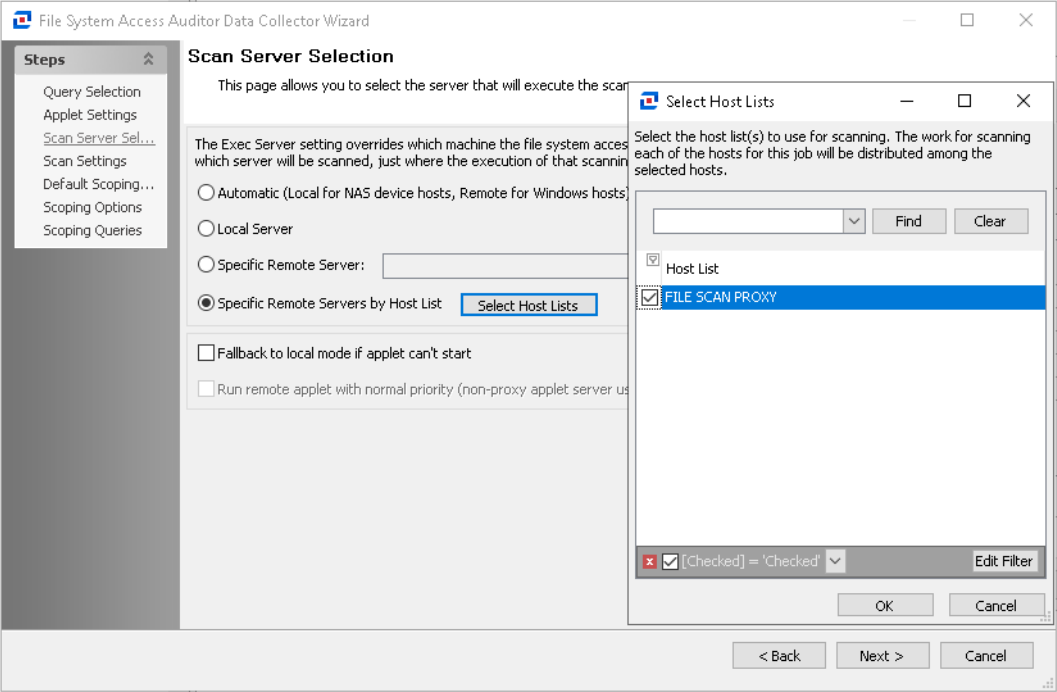
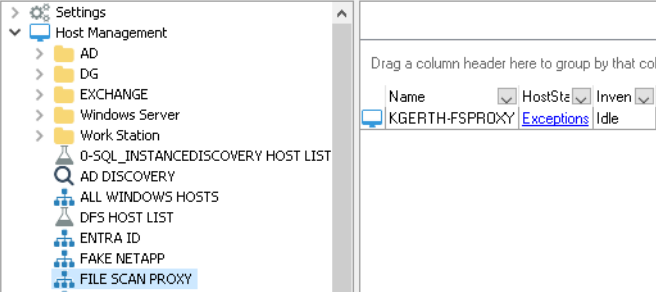
Following this step, we would then have to review under our Host Management and track down the specific host list(s) in order to ascertain which hosts are functioning as a proxy.
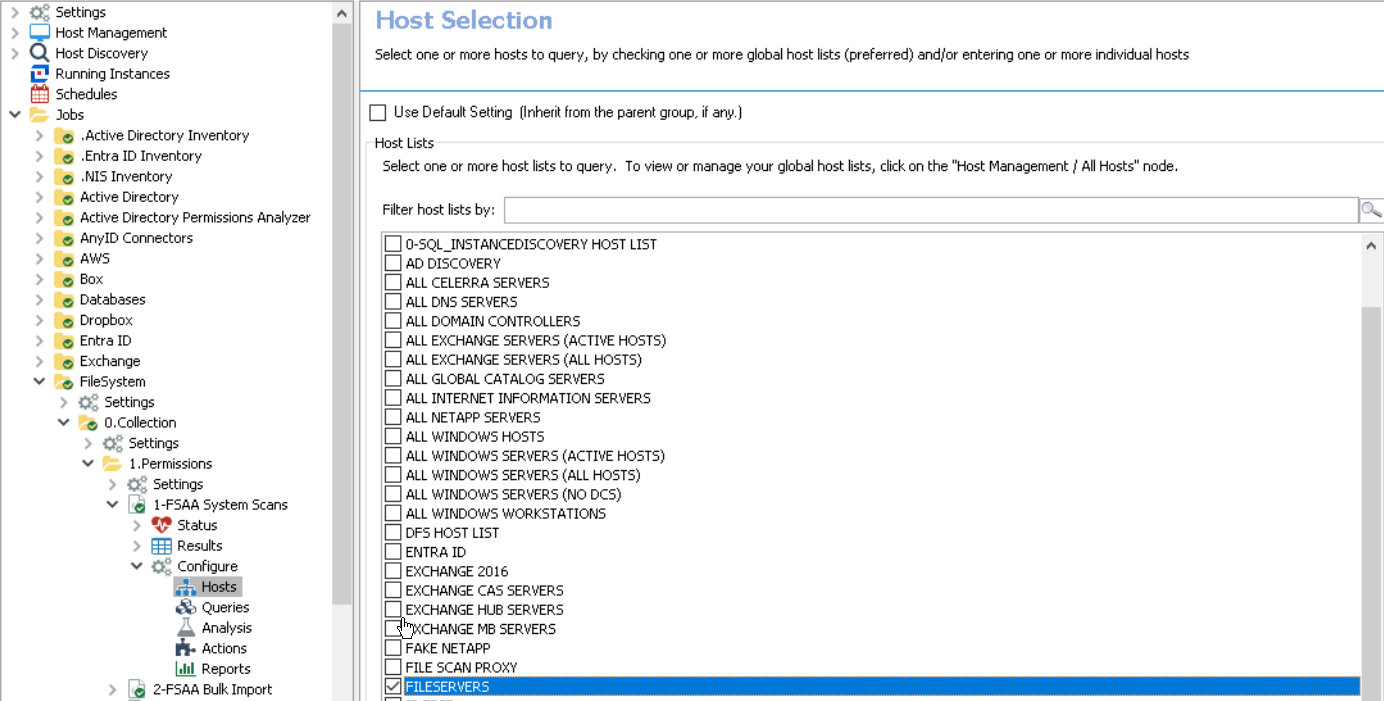
Now we need to check which host list(s) are assigned to the scan job(s)…
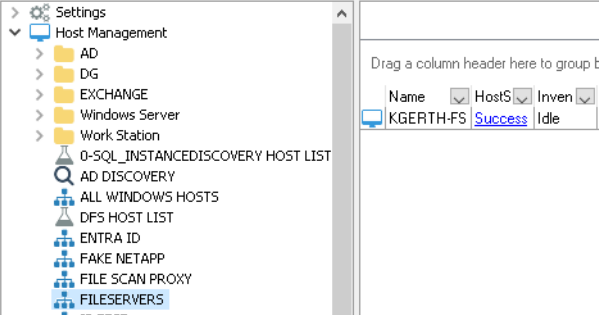
Then we’re going back to Host Management to review the host(s) that are contained under host list(s) that were assigned.
Just imagine going through all of this in a large environment with dozens of files servers, tens of scan jobs using multiple proxies covering multiple regional data centers.

Solution
Let’s make this easier on ourselves, shall we? The FS_ScanProxyHosts job is here to take the majority of this burden away.
How the Job works:
PowerShell Data Collector
- Crawls the Jobs directory structure recursively, processing GROUP_* folders and JOB_* folders
- Extracts job configuration details from XML files and Job.change files
- Identifies FSAA scan jobs (1-FSAA System Scans, 1-FSAC System Scans, 1-SEEK System Scans)
- Determines host list usage (global vs. job-specific), and disabled status settings
- Parses FSAA_EXEC_HOST settings to determine proxy host or proxy host lists
- Builds a comprehensive mapping of jobs to their target hosts and proxy scan execution hosts
SQL Analysis
- Correlates the PowerShell-extracted data with actual job execution history
- Finds the most recent scan date for each job/host combination
- Creates a detailed reporting table [SA_FS_ScanProxyHosts_Details] containing:
** Job metadata (name, location, disabled status)
** Host configuration (host lists, proxy hosts, target hosts)
** Last scan execution details (date/time, status, last scan host, last scan job name)
Instructions
This job requires a connection profile with credentials that can access the Netwrix Access Analyzer install directory in order to parse XML configuration files using the PowerShell Data Collector.
The target host should be “Localhost” and is configured right out of the box.
Results
The data collected by the PowerShell Data Collector task is written to the [DEFAULT] table under the job’s results:
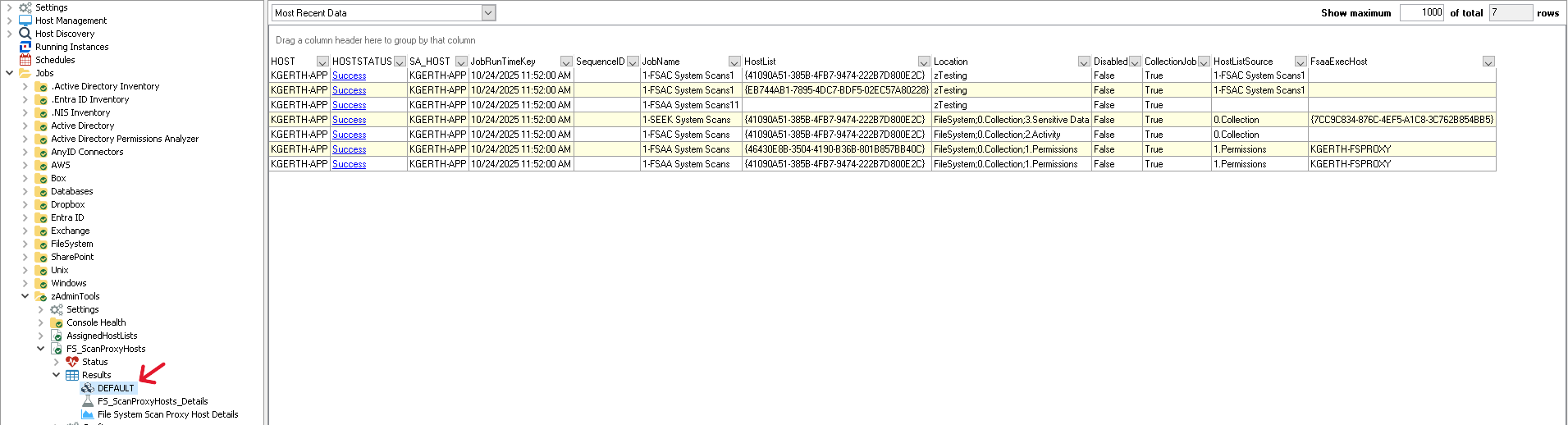
That data is then processed by the SQL Analysis Task to correlate host name and hos tlist GUIDs to actual names within the Netwrix Access Analyzer database and the results are inserted into the [SA_ScanProxyHosts_Details] table.
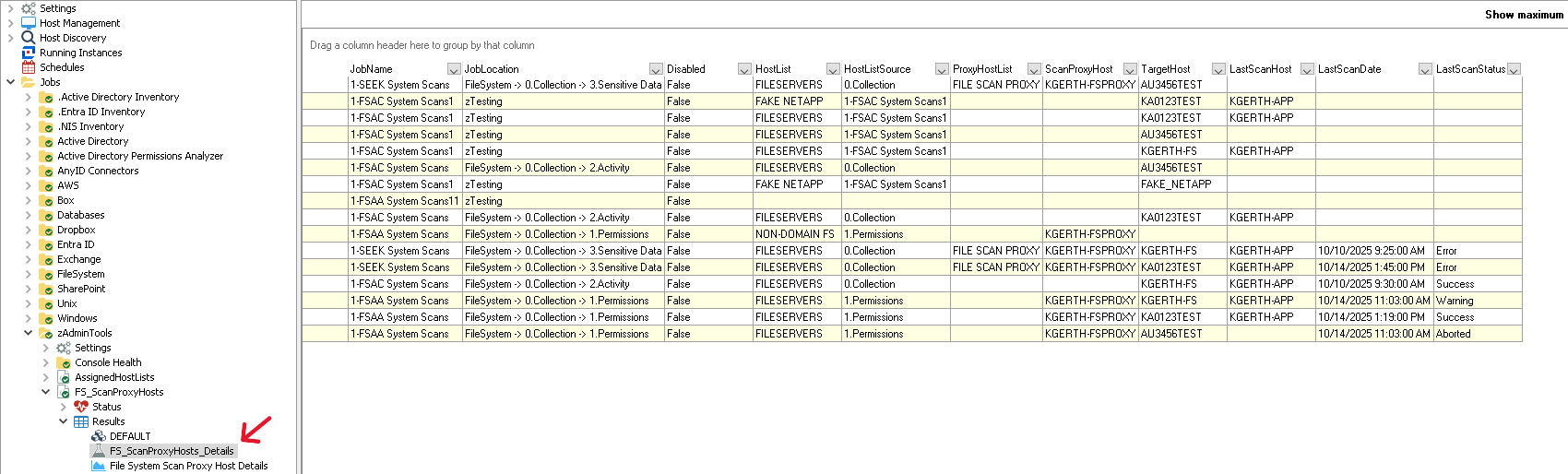
The [SA_ScanProxyHosts_Details] table columns (from left to right) show us useful information such as:
- [JobName] = The exact name of the scan job as found within the Jobs tree.
- [JobLocation] = Where the job is located within the Jobs tree allowing for easy reference to drill down to the job’s location.
- [Disabled] = Disabled state of the job, whether True (job is disabled and will not run) or False (job is enabled and will run whether initialized manually or via schedule).
- [HostList] = Lists out all host lists associated with the job.
- [HostListSource] = Reflects where the host list assignment is configured.
- [ProxyHostList] = If the scan is configured to “Specific Remote Servers by Host List” this field will provide the name of the host list.
- [ScanProxyHost] = Displays which host is assigned as a scan proxy. If the scan is configured to use a host list for the proxy, this field will list out one per line which hosts are assigned to the proxy host list. If the scan is configured with “Specific Remote Server” it will list the single host name.
- [TargetHost] = Server targeted by the scan which will correlate to the [HostList] column as the host list that the target host is assigned through.
- [LastScanHost] = Indicates which host performed the last scan against the target host. Please note that this value is updated whenever a file system scan is run. As such, the value will correlate to the most recent scan job, whether FSAA (permissions), FSAC (activity), or SEEK (sensitive data discovery).
- [LastScanDate] = Date and time the most recent scan was run, correlated to the [JobName].
- [LastScanStatus] = Status of the most recent scan, e.g. “Success”, “Warning”, “Error”, “Aborted”.
Additionally, the “File System Scan Proxy Host Details” report is created for the published reports web portal.
Conclusion
The FS_ScanProxyHosts job can save an incredible amount of time tracking down how file system scans are configured related to leveraging proxy servers as well as host list assignments. I have used this job in a couple of large customer environments already (with dozens of separate scans, some leveraging proxy host lists, some single proxy assignments). It most certainly reduced investigation time down from potentially tens of minutes to less than a minute!