We had a comment from @Ashers2025 in Help Shape the Future of PingCastle - We Need Your Feedback 🙌 - #3 by Ashers2025 about bringing PingCastle into ADUC and I just saw this today coming back from the New Year and finally caught up so I thought I could get this done in a somewhat hack-y way but gets the job done for those that may want this.
Now, disclaimer, the script was done with ChatGPT5.2 Thinking with some and a few tweaks from myself of course but I was mostly aware of how to do this with DisplaySpecifiers and the AdminContextMenu (or the ContextMenu, still never really sure on the actual difference between the two so I chose just the AdminContextMenu attribute as this is more of an admin function in the prompt) so I am not just blindly trusting AI here.
I believe this should be secure enough, just don’t go giving domain users or other well known groups access to the share otherwise you may be giving attackers access to PingCastle reports which is obviously a gold mine so be careful about it!
Setup
The script in PingCastle ADUC Setup below needs to be saved and run on a client server that will host PingCastle for anyone that uses it. The script does the following:
- Makes a new AD Group called
PingCastle_ADContextMenuwhich will control access to the share where PingCastle will be hosted - Makes a new hidden share in C:\Shares called
PingCastle_ADContextMenu$and grants the share access and NTFS access to the Administrators group and the AD Group above. - Changes all Display Specifiers (All languages) to include the new PingCastle options:
- PingCastle - View Report - Opens the latest report
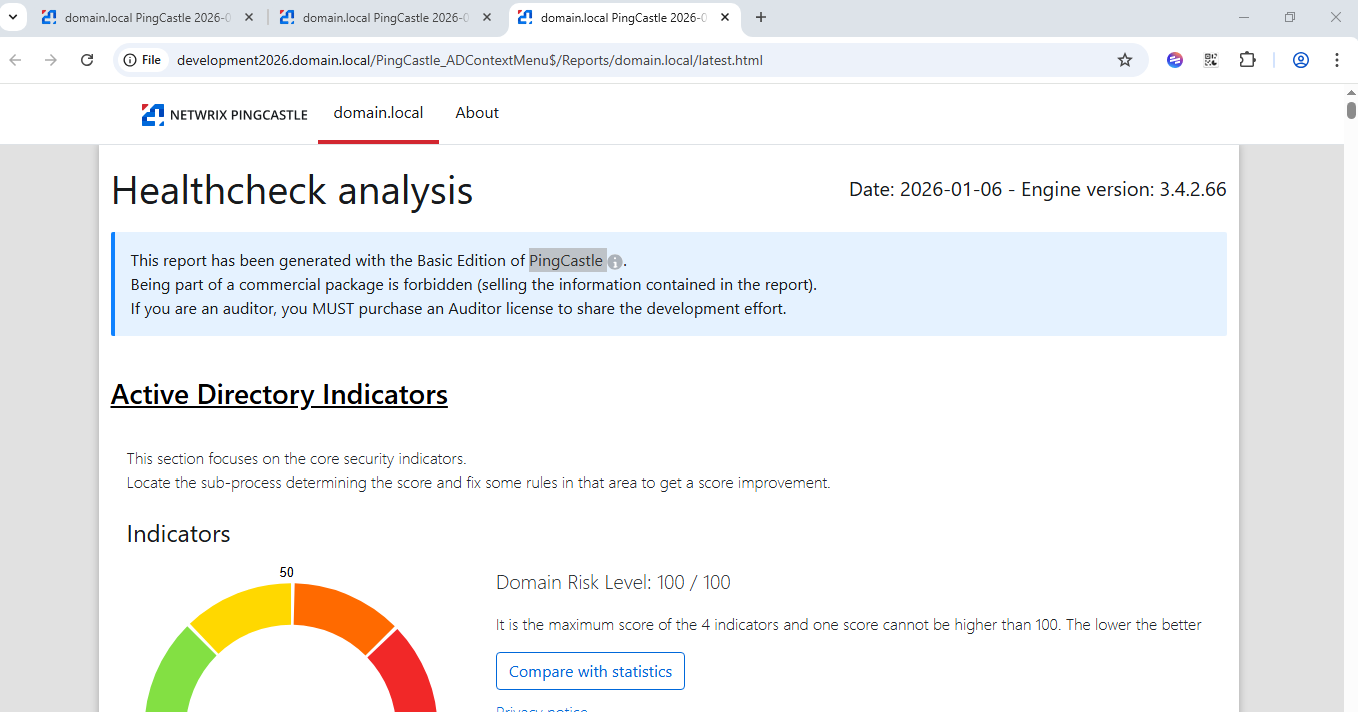
- PingCastle - Run Scan - Runs a scan and opens the report afterwards
Whilst I have not done it here, an alternative setup is possible for admin workstations or similar where you would have to have the copy of PingCastle locally rather than on a share. This should run faster but obviously requires some more setup and management which is why I opted for the secure share approach to show here.
PingCastle ADUC Setup
<#
.SYNOPSIS
  Quick installer for a PingCastle ADUC context menu (static Display Specifier entries).

.DESCRIPTION
  - Creates AD group: "PingCastle_ADContextMenu"
  - Creates SMB share (default hidden): "PingCastle_ADContextMenu$"
  - Downloads latest PingCastle release ZIP from GitHub and extracts to \\server\share\Bin
  - Creates context menu scripts (View Report / Run Scan) in \\server\share\Scripts
  - Registers ADUC static context menu items for selected AD object classes in ALL DisplaySpecifiers locale containers

.REQUIREMENTS
  - Run as: Domain admin rights for share creation on the file server + Enterprise Admin (or equivalent) rights to modify Display Specifiers.
  - Modules: ActiveDirectory; SmbShare (on the share server).
  - Network: Admin workstations must reach the SMB share and DCs.

.NOTES
  - This runs PingCastle from a UNC path. Many orgs block executing EXEs from shares (AppLocker/WDAC/ASR).
    If that’s you, copy PingCastle locally to admin workstations instead and update the command paths.
#>

[CmdletBinding(SupportsShouldProcess=$true)]
param(
    # Where to host the share (run this on that server, or use remoting)
    [string]$ShareLocalPath = "C:\Shares\PingCastle_ADContextMenu",

    [string]$ShareName = "PingCastle_ADContextMenu`$",

    # AD group to grant access to the share + NTFS
    [string]$AdGroupName = "PingCastle_ADContextMenu",

    # Which AD object classes to extend in ADUC
    [string[]]$TargetClasses = @("domainDNS"),

    # Menu ordering (large numbers reduce collision risk)
    [int]$MenuOrderView = 15000,
    [int]$MenuOrderScan = 15010
)

Set-StrictMode -Version Latest
$ErrorActionPreference = "Stop"

function Assert-Module([string]$Name) {
    if (-not (Get-Module -ListAvailable -Name $Name)) {
        throw "Required module not found: $Name. Install RSAT/feature and try again."
    }
}

function Get-HostFqdn {
    try {
        return ([System.Net.Dns]::GetHostEntry($env:COMPUTERNAME)).HostName
    } catch {
        return $env:COMPUTERNAME
    }
}

function Ensure-Folder([string]$Path) {
    if (-not (Test-Path -LiteralPath $Path)) {
        New-Item -ItemType Directory -Path $Path | Out-Null
    }
}

function Ensure-AdGroup([string]$Name) {
    Assert-Module ActiveDirectory
    Import-Module ActiveDirectory

    $existing = Get-ADGroup -Filter "Name -eq '$Name'" -ErrorAction SilentlyContinue
    if ($existing) { return $existing }

    if ($PSCmdlet.ShouldProcess("AD", "Create group $Name")) {
        return New-ADGroup -Name $Name -SamAccountName $Name -GroupCategory Security -GroupScope Global -Path (Get-ADDomain).UsersContainer
    }
}

function Ensure-Share([string]$LocalPath, [string]$Name, [string]$GroupName) {
    Assert-Module SmbShare

    Ensure-Folder $LocalPath
    $bin = Join-Path $LocalPath "Bin"
    $scripts = Join-Path $LocalPath "Scripts"
    $reports = Join-Path $LocalPath "Reports"
    Ensure-Folder $bin
    Ensure-Folder $scripts
    Ensure-Folder $reports

    $existing = Get-SmbShare -Name $Name -ErrorAction SilentlyContinue
    if (-not $existing) {
        if ($PSCmdlet.ShouldProcess("SMB", "Create share $Name -> $LocalPath")) {
            New-SmbShare -Name $Name -Path $LocalPath -CachingMode None `
                -FullAccess @("BUILTIN\Administrators") `
                -ChangeAccess @("$((Get-ADDomain).NetBIOSName)\$GroupName") | Out-Null
        }
    } else {
        # Ensure group has at least Change on the share
        if ($PSCmdlet.ShouldProcess("SMB", "Ensure share permissions for $Name")) {
            Grant-SmbShareAccess -Name $Name -AccountName "$((Get-ADDomain).NetBIOSName)\$GroupName" -AccessRight Change -Force | Out-Null
        }
    }

    # NTFS permissions (simple: group gets Modify under the share root)
    $domainNetbios = (Get-ADDomain).NetBIOSName
    $principal = "$domainNetbios\$GroupName"
    if ($PSCmdlet.ShouldProcess("NTFS", "Grant Modify to $principal on $LocalPath")) {
        & icacls $LocalPath /inheritance:e | Out-Null
        & icacls $LocalPath /grant "$principal`:(OI)(CI)(M)" | Out-Null
        & icacls $LocalPath /grant "BUILTIN\Administrators:(OI)(CI)(F)" | Out-Null
    }

    return @{
        Root    = $LocalPath
        Bin     = $bin
        Scripts = $scripts
        Reports = $reports
    }
}

function Download-LatestPingCastle([string]$BinPath) {
    $api = "https://api.github.com/repos/netwrix/pingcastle/releases/latest"
    $headers = @{ "User-Agent" = "PingCastle-ADUC-ContextMenu-Installer" }

    Write-Host "Fetching latest PingCastle release metadata from GitHub..."
    $release = Invoke-RestMethod -Uri $api -Headers $headers

    $asset = $release.assets | Where-Object { $_.name -match '\.zip$' } | Select-Object -First 1
    if (-not $asset) {
        throw "Could not find a .zip asset in the latest release. Check GitHub releases page."
    }

    $tmp = Join-Path $env:TEMP $asset.name
    Write-Host "Downloading $($asset.name)..."
    Invoke-WebRequest -Uri $asset.browser_download_url -Headers $headers -OutFile $tmp

    # Clean bin folder but keep it existing
    Get-ChildItem -Path $BinPath -Force -ErrorAction SilentlyContinue | Remove-Item -Recurse -Force -ErrorAction SilentlyContinue

    Write-Host "Extracting to $BinPath..."
    Expand-Archive -LiteralPath $tmp -DestinationPath $BinPath -Force
    Remove-Item -LiteralPath $tmp -Force -ErrorAction SilentlyContinue
}

function Write-ContextMenuFiles([string]$ScriptsPath, [string]$ReportsUNC, [string]$BinUNC) {
    Ensure-Folder $ScriptsPath

    $viewPs1 = Join-Path $ScriptsPath "PingCastle_ViewReport.ps1"
    $viewBat = Join-Path $ScriptsPath "PingCastle_ViewReport.bat"
    $scanPs1 = Join-Path $ScriptsPath "PingCastle_RunScan.ps1"
    $scanBat = Join-Path $ScriptsPath "PingCastle_RunScan.bat"

    @"
@ECHO OFF
REM Launch the PowerShell script with same base name and pass-through args from ADUC (ADsPath + class)
start powershell.exe -ExecutionPolicy Bypass -NoLogo -NoProfile -File "%~dpn0.ps1" %*
"@ | Set-Content -LiteralPath $viewBat -Encoding ASCII

    Copy-Item -LiteralPath $viewBat -Destination $scanBat -Force

    @"
param(
  [Parameter(Mandatory=`$true, Position=0)]
  [string]`$ObjectPath,
  [Parameter(Mandatory=`$true, Position=1)]
  [string]`$ObjectType
)

function Get-DomainFqdnFromAdsiPath([string]`$p) {
  # ADUC passes ADsPath (e.g., LDAP://CN=User,OU=...,DC=contoso,DC=com) possibly with server prefix LDAP://DC01/...
  `$s = `$p -replace '^LDAP://',''
  if (`$s -match '^[^/]+/.+') { `$s = `$s.Substring(`$s.IndexOf('/') + 1) }
  # DN now begins at CN=... or DC=...
  `$dcs = [regex]::Matches(`$s, 'DC=([^,]+)', 'IgnoreCase') | ForEach-Object { `$_.Groups[1].Value }
  if (-not `$dcs -or `$dcs.Count -lt 2) { return `$null }
  return (`$dcs -join '.')
}

`$domain = Get-DomainFqdnFromAdsiPath `$ObjectPath
if (-not `$domain) {
  [System.Windows.Forms.MessageBox]::Show("Could not derive domain from ADsPath:`n`n`$ObjectPath","PingCastle - View Report") | Out-Null
  exit 1
}

`$report = Join-Path -Path "$ReportsUNC" -ChildPath "`$domain\latest.html"
if (-not (Test-Path -LiteralPath `$report)) {
  [System.Windows.Forms.MessageBox]::Show("No latest report found for:`n`n`$domain`n`nExpected:`n`$report`n`nTry 'PingCastle - Run Scan' first.","PingCastle - View Report") | Out-Null
  exit 2
}

Start-Process `$report
"@ | Set-Content -LiteralPath $viewPs1 -Encoding UTF8

    @"
param(
  [Parameter(Mandatory=`$true, Position=0)]
  [string]`$ObjectPath,
  [Parameter(Mandatory=`$true, Position=1)]
  [string]`$ObjectType
)

function Get-DomainFqdnFromAdsiPath([string]`$p) {
  `$s = `$p -replace '^LDAP://',''
  if (`$s -match '^[^/]+/.+') { `$s = `$s.Substring(`$s.IndexOf('/') + 1) }
  `$dcs = [regex]::Matches(`$s, 'DC=([^,]+)', 'IgnoreCase') | ForEach-Object { `$_.Groups[1].Value }
  if (-not `$dcs -or `$dcs.Count -lt 2) { return `$null }
  return (`$dcs -join '.')
}

`$domain = Get-DomainFqdnFromAdsiPath `$ObjectPath
if (-not `$domain) {
  [System.Windows.Forms.MessageBox]::Show("Could not derive domain from ADsPath:`n`n`$ObjectPath","PingCastle - Run Scan") | Out-Null
  exit 1
}

`$pingCastleExe = Join-Path -Path "$BinUNC" -ChildPath "PingCastle.exe"
if (-not (Test-Path -LiteralPath `$pingCastleExe)) {
  [System.Windows.Forms.MessageBox]::Show("PingCastle.exe not found at:`n`n`$pingCastleExe","PingCastle - Run Scan") | Out-Null
  exit 2
}

`$timestamp = Get-Date -Format "yyyyMMdd-HHmmss"
`$user = `$env:USERNAME
`$outDir = Join-Path -Path "$ReportsUNC" -ChildPath "`$domain"
`$null = New-Item -ItemType Directory -Path `$outDir -Force

# PingCastle writes HTML/XML into the current working directory; use WorkingDirectory to control output location.
`$args = @("--healthcheck","--server",`$domain)
`$p = Start-Process -FilePath `$pingCastleExe -ArgumentList `$args -WorkingDirectory `$outDir -Wait -PassThru

if (`$p.ExitCode -ne 0) {
  [System.Windows.Forms.MessageBox]::Show("PingCastle returned exit code: `$(`$p.ExitCode)`nOutput folder:`n`$outDir","PingCastle - Run Scan") | Out-Null
  exit 3
}

# Try to pick the newest HTML and XML produced and copy to a stable 'latest.*' filename
`$latestHtml = Get-ChildItem -Path `$outDir -Filter "*.html" | Sort-Object LastWriteTime -Descending | Select-Object -First 1
`$latestXml  = Get-ChildItem -Path `$outDir -Filter "*.xml"  | Sort-Object LastWriteTime -Descending | Select-Object -First 1

if (`$latestHtml) {
  Copy-Item -LiteralPath `$latestHtml.FullName -Destination (Join-Path `$outDir "latest.html") -Force
  Copy-Item -LiteralPath `$latestHtml.FullName -Destination (Join-Path `$outDir "PingCastle-`$domain-`$timestamp-`$user.html") -Force
}
if (`$latestXml) {
  Copy-Item -LiteralPath `$latestXml.FullName -Destination (Join-Path `$outDir "latest.xml") -Force
  Copy-Item -LiteralPath `$latestXml.FullName -Destination (Join-Path `$outDir "PingCastle-`$domain-`$timestamp-`$user.xml") -Force
}

if (`$latestHtml) { Start-Process (Join-Path `$outDir "latest.html") }
"@ | Set-Content -LiteralPath $scanPs1 -Encoding UTF8
}

function Get-DisplaySpecifiersBaseDn {
    Assert-Module ActiveDirectory
    Import-Module ActiveDirectory
    $root = Get-ADRootDSE
    return "CN=DisplaySpecifiers,$($root.configurationNamingContext)"
}

function Get-LocaleContainers([string]$DisplaySpecBaseDn) {
    # locale containers are immediate children, named like CN=409, CN=809, etc.
    Get-ADObject -SearchBase $DisplaySpecBaseDn -LDAPFilter "(objectClass=container)" -SearchScope OneLevel -Properties cn |
        Select-Object -ExpandProperty cn
}

function Ensure-DisplaySpecifier([string]$LocaleCn, [string]$ClassName, [string]$DisplaySpecBaseDn) {
    $dn = "CN=$ClassName-Display,CN=$LocaleCn,$DisplaySpecBaseDn"
    try {
        return Get-ADObject -Identity $dn -ErrorAction Stop
    } catch {
        return $null
    }
}

function Add-ContextMenuValue([string]$DisplaySpecifierDn, [string]$AttributeName, [string]$Value) {
    try {
        $obj = Get-ADObject -Identity $DisplaySpecifierDn -Properties $AttributeName
        $existing = @($obj.$AttributeName)
        if ($existing -contains $Value) { return }

        Set-ADObject -Identity $DisplaySpecifierDn -Add @{ $AttributeName = $Value } | Out-Null
    } catch {
        # Some environments may not have both attributes; ignore missing attribute errors.
        Write-Verbose "Could not add value to $AttributeName on $DisplaySpecifierDn`: $($_.Exception.Message)"
    }
}

function Register-ContextMenus([string[]]$Classes, [string]$ScriptsUNC, [int]$OrderView, [int]$OrderScan) {
    Assert-Module ActiveDirectory
    Import-Module ActiveDirectory

    $displayBase = Get-DisplaySpecifiersBaseDn
    $locales = Get-LocaleContainers $displayBase

    $viewCmd = Join-Path $ScriptsUNC "PingCastle_ViewReport.bat"
    $scanCmd = Join-Path $ScriptsUNC "PingCastle_RunScan.bat"

    $viewVal = "$OrderView,&PingCastle - View Report,$viewCmd"
    $scanVal = "$OrderScan,&PingCastle - Run Scan,$scanCmd"

    foreach ($loc in $locales) {
        foreach ($cls in $Classes) {
            $ds = Ensure-DisplaySpecifier -LocaleCn $loc -ClassName $cls -DisplaySpecBaseDn $displayBase
            if (-not $ds) { continue }
            Add-ContextMenuValue -DisplaySpecifierDn $ds.DistinguishedName -AttributeName "adminContextMenu" -Value $viewVal
            Add-ContextMenuValue -DisplaySpecifierDn $ds.DistinguishedName -AttributeName "adminContextMenu" -Value $scanVal
        }
    }
}

# ---- Main ----
Assert-Module ActiveDirectory
Import-Module ActiveDirectory

$serverFqdn = Get-HostFqdn
$shareUNC = "\\$serverFqdn\$ShareName"

Write-Host "Share UNC: $shareUNC"
Write-Host "Creating AD group (if missing): $AdGroupName"
$null = Ensure-AdGroup $AdGroupName

Write-Host "Creating share + folders (if missing): $ShareName"
$paths = Ensure-Share -LocalPath $ShareLocalPath -Name $ShareName -GroupName $AdGroupName

Write-Host "Downloading PingCastle (latest GitHub release) to Bin..."
Download-LatestPingCastle -BinPath $paths.Bin

$scriptsUNC = Join-Path $shareUNC "Scripts"
$binUNC     = Join-Path $shareUNC "Bin"
$reportsUNC = Join-Path $shareUNC "Reports"

Write-Host "Writing context menu scripts to Scripts..."
Write-ContextMenuFiles -ScriptsPath $paths.Scripts -ReportsUNC $reportsUNC -BinUNC $binUNC

Write-Host "Registering ADUC context menu items for classes: $($TargetClasses -join ', ')"
Register-ContextMenus -Classes $TargetClasses -ScriptsUNC $scriptsUNC -OrderView $MenuOrderView -OrderScan $MenuOrderScan

Write-Host ""
Write-Host "DONE."
Write-Host "Next steps:"
Write-Host "  1) On admin workstations, ensure they can access: $shareUNC"
Write-Host "  2) Close and reopen ADUC (dsa.msc) to refresh cached display specifiers."
Write-Host "  3) Right-click a domain object → PingCastle menu items."
Removal
Remove the share manually on the server where you installed it. To clear up the display specifiers I have included the below script to do the removal
Remove PingCastle ADUC Context Menu
function Remove-PingCastleAducContextMenus {
    <#
    .SYNOPSIS
      Removes PingCastle static ADUC context menu entries from all Display Specifiers (all locales).

    .DESCRIPTION
      Iterates:
        CN=DisplaySpecifiers,<configurationNamingContext>\CN=<locale>\CN=<class>-Display
      Removes matching values from:
        - adminContextMenu (primary)
        - contextMenu (compat - if you previously added it)
      Matching is done by menu text and/or bat filename, so it still cleans up if the UNC host/share changed.

    .PARAMETER TargetClasses
      AD object classes whose *-Display specifiers should be cleaned up.
      Defaults to the same set used in the installer.

    .PARAMETER IncludeShellContextMenu
      If you ever registered the same entries under shellContextMenu, include this switch to also remove them.

    .EXAMPLE
      Remove-PingCastleAducContextMenus -WhatIf

    .EXAMPLE
      Remove-PingCastleAducContextMenus -TargetClasses @("domainDNS","organizationalUnit","user","computer")
    #>
    [CmdletBinding(SupportsShouldProcess=$true, ConfirmImpact="High")]
    param(
        [string[]]$TargetClasses = @("domainDNS","organizationalUnit","user","computer"),
        [switch]$IncludeShellContextMenu
    )

    Set-StrictMode -Version Latest
    $ErrorActionPreference = "Stop"

    if (-not (Get-Module -ListAvailable -Name ActiveDirectory)) {
        throw "ActiveDirectory module not found. Install RSAT and try again."
    }
    Import-Module ActiveDirectory

    function Get-DisplaySpecifiersBaseDn {
        $root = Get-ADRootDSE
        return "CN=DisplaySpecifiers,$($root.configurationNamingContext)"
    }

    function Get-LocaleContainers([string]$DisplaySpecBaseDn) {
        Get-ADObject -SearchBase $DisplaySpecBaseDn `
            -LDAPFilter "(objectClass=container)" `
            -SearchScope OneLevel `
            -Properties cn |
            Select-Object -ExpandProperty cn
    }

    function Try-RemoveValues([string]$Dn, [string]$Attr, [string[]]$Values) {
        if (-not $Values -or $Values.Count -eq 0) { return 0 }

        try {
            if ($PSCmdlet.ShouldProcess($Dn, "Remove $($Values.Count) value(s) from $Attr")) {
                Set-ADObject -Identity $Dn -Remove @{ $Attr = $Values } | Out-Null
            }
            return $Values.Count
        } catch {
            Write-Verbose "Failed removing from $Attr on $Dn`: $($_.Exception.Message)"
            return 0
        }
    }

    # Matchers: robust to different UNC paths / order numbers.
    $isPingCastleMenuValue = {
        param([string]$v)

        if ([string]::IsNullOrWhiteSpace($v)) { return $false }

        # Typical static menu item format:
        #   <order>,<menu text>,<command>
        # We'll match by menu text and/or filenames.
        return (
            $v -match ',\s*&?PingCastle\s*-\s*View\s*Report\s*,' -or
            $v -match ',\s*&?PingCastle\s*-\s*Run\s*Scan\s*,' -or
            $v -match 'PingCastle_ViewReport\.bat' -or
            $v -match 'PingCastle_RunScan\.bat'
        )
    }

    $displayBase = Get-DisplaySpecifiersBaseDn
    $locales = Get-LocaleContainers $displayBase

    $attributesToClean = @("adminContextMenu", "contextMenu")
    if ($IncludeShellContextMenu) { $attributesToClean += "shellContextMenu" }

    $totalRemoved = 0
    $touched = 0

    foreach ($loc in $locales) {
        foreach ($cls in $TargetClasses) {
            $dsDn = "CN=$cls-Display,CN=$loc,$displayBase"

            # Skip if the display specifier doesn't exist for that locale/class
            $ds = $null
            try { $ds = Get-ADObject -Identity $dsDn -ErrorAction Stop }
            catch { continue }

            # Pull current values for relevant attributes
            $props = Get-ADObject -Identity $dsDn -Properties $attributesToClean

            $removedHere = 0
            foreach ($attr in $attributesToClean) {
                $existing = @($props.$attr)
                if (-not $existing -or $existing.Count -eq 0) { continue }

                $toRemove = $existing | Where-Object { & $isPingCastleMenuValue $_ }
                $removedHere += Try-RemoveValues -Dn $dsDn -Attr $attr -Values $toRemove
            }

            if ($removedHere -gt 0) {
                $touched++
                $totalRemoved += $removedHere
                Write-Verbose "Removed $removedHere value(s) from $dsDn"
            }
        }
    }

    [pscustomobject]@{
        DisplaySpecifiersTouched = $touched
        ValuesRemoved            = $totalRemoved
        ClassesProcessed         = ($TargetClasses -join ",")
        LocalesProcessed         = $locales.Count
        Note                     = "Restart ADUC/MMC to refresh cached display specifiers."
    }
}


Remove-PingCastleAducContextMenus
How to use
- Close and Re-open ADUC as prompted if you only just ran the setup.
- Right click on the Domain object and select the option you want
- You will be prompted with file access warnings about running command prompt and then powershell but it should work okay.

I am not sure if this will be useful to many or not but thought I would post it if anyone really wants it! 