PolicyPak Version 26.05 Released

Overview
PolicyPak version 26.05 introduces major new DLL Hijack Protection capabilities, significant Least Privilege Manager enhancements, Admin Approval accountability improvements, licensing dialog upgrades, and a refreshed purple branding across all tools.
Note: Starting with this build, you are now able to get PolicyPak downloads in https://netwrix.com/my_products.html (suggest you bookmark it). Annnnnd…
Note: Ending with this build, this will be the LAST / FINAL PolicyPak build you will be able to get in portal.policypak.com. We’re not FULLY retiring the PolicyPak Portal, because the Bootcamp, payment for PP Cloud and XML Examples are still there. But DOWNLOADING the “bits” from portal.PolicyPak.com… this will be the FINAL BITS posted there. Therefore…
Suggest: You try to see if you can actually get the PolicyPak bits (today) from https://netwrix.com/my_products.html so you’re not opening up support tickets trying to get into https://netwrix.com/my_products.html the next build cycle. 
Netwrix Endpoint Policy Manager version 2601 introduces new Client Side Extension (CSE) updates and a new automatic rules generation tool for Netwrix Endpoint Privilege Manager (PPLPM).
Endpoint Privilege Manager Updates (CSE Updates)
Want the full details? Click the link below!
 Rebranding
- Endpoint Policy Manager has been renamed back to PolicyPak
- Endpoint Privilege Manager has been renamed back to Least Privilege Manager
These name changes are reflected throughout the UI, tools, ADMX policies, and documentation.
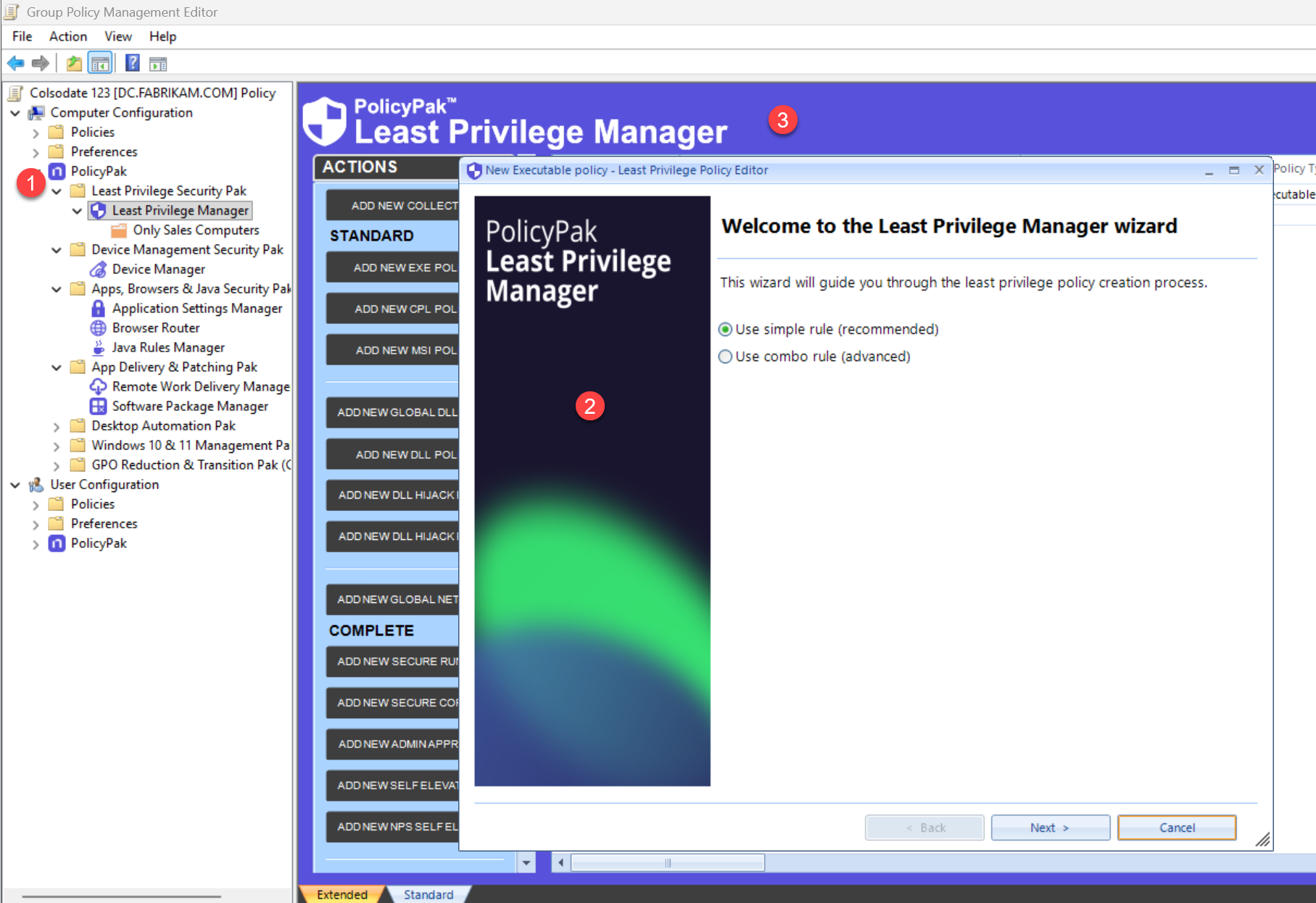
 DLL Hijack Protection — Major New Feature
Version 26.05 introduces a new DLL Hijack Protection policy type in Least Privilege Manager. This is the flagship feature of this release. Overview in Docs for reference: Dll-Hijack Prevention | Netwrix Product Documentation

Global Policy — Three Protection Modes
The global policy enables DLL Hijack Protection and defines how the feature behaves. It operates in one of three modes:
| Mode | Behavior |
|---|---|
| Audit | All events are logged, but nothing is blocked. Use this to assess potential issues before enforcing protection. |
| Safe Elevated | Risky DLL loading is blocked only for elevated processes. |
| Anti-Hijack | Protection is extended further — DLL loading is blocked for regular processes running from protected locations such as Program Files. |
** Note there are no “In-Cloud” DLL Hijack editors YET; but you should be able to upload to PPLPM XML to PP Cloud to try it out.
Exclusion Policies
Exclusion policies allow specific exceptions to global DLL Hijack rules. Administrators can define exclusions for selected EXEs or DLLs based on:
- File path
- Digital signature
- File hash
Video anchors in docs starts DLL Hijack Protection Basics: Get to know the system with a simple example | Netwrix Product Documentation
Scenario 1: Unsigned DLL Launched via rundll32.exe
When a command like rundll32.exe c:\temp\DLL-Notsigned.dll,EntryPointW is attempted, PolicyPak blocks it by default. If the DLL is legitimate, administrators have two ways to authorize it:
- Way #1: Authorize by identity
- Way #2: Authorize by creating a matching DLL rule

Scenario 2: EXE Attempting DLL Hijack via Unqualified Path
When an executable attempts to load a DLL by name only (without a full path), a malicious DLL can be injected. With DLL Hijack Protection enabled, the hijack is blocked and logged. If the blocked DLL is a false positive, an administrator can create a DLL Hijack exclusion rule to allow it.
Scenario 3: Internet-Downloaded Installer Blocked in Safe Elevated Mode
When a user downloads an installer from the internet (e.g., VLC) that requires admin rights, DLL Hijack Protection blocks it in Safe Elevated mode. Two rule options are available to allow legitimate installs:
- Rule #1: Allow the application directly
- Rule #2: Allow a specific
DOMAIN\USERto pass through the protection so that a UAC prompt allows an admin with credentials to install
Scenario 4: Reducing Noise from Legitimate Software (e.g., OneDrive)
When DLL Hijack Protection is enabled, legitimate applications like OneDrive may trigger block prompts due to behavior that resembles suspicious DLL loading. This scenario demonstrates how to:
- Take a real blocked event
- Convert it into a Publisher-based Allow rule
- Stop the noise immediately while keeping protection intact
The goal: fix the friction without weakening security.
 Admin Approval — Accountability Improvement
The Admin Approval response code now includes the DOMAIN\USERNAME (or Windows USERNAME) of the person who ran the Admin Approval tool and generated the response code. This identity is recorded in the Event Log on the endpoint.
Compatibility Notes:
- You should update both MMC and CSE to show ‘Approved by: User’.
- If CSE is older and MMC / Admin Approval Tool is new (24.6) then ‘Approved by: User’ won’t show up, but AA codes will work.
- If CSE is new (24.6) and MMC / Admin Approval Tool is old (pre-24.6), the AA tool won’t accept the 24.6 request code.
Works with Least Privilege Manager …

Works with Device Manager…

Result: When logs are collected centrally, administrators can audit a complete accountability chain — who approved what, and when — across all Admin Approval activity on endpoints.
Note: A previous announcement expressed Grace Period Dialog improvements. That is coming in a future release.
 Whitespace Trimming in Policies
Policy fields — including process paths, certificate names, file info, and other rule criteria — now automatically trim leading and trailing whitespace. This resolves rule-matching failures caused by accidental extra spaces, as well as executables that embed excessive whitespace in their own file metadata.
Community request: Trim Whitespace in Policies and device processes
 Updated Branding Across All Tools
All tools have been updated to reflect the new purple PolicyPak branding, including:
- MMC snap-in and CSE UI
- Standalone Policy Editor
- PolicyPak Application Manager (PPAM) Design Studio
- Other related utility tools

 Resolved Support Tickets
| ID | Title |
|---|---|
| 377659 | Elevate UWP elevates, but still produces UAC |
| 390696 | CSE: Some dialogs require .NET 4.8 (CSE installation issues when .NET 4.8 or later is missing) |
| 401323 | AA simple approval — no elevate option |
| 402201 | Admin Approval not catching some elevations |
| 407436 | NSM Rules are not applying as expected |
| 402268 | Secure Run randomly blocking WorkSpace 1 Process |
| 410309 | Unable to use variables in Parent Process Filter |
| 418131 | PolicyPak Windows Event Log errors APPCRASH |
| 398898 | Majority of Local Policies/Security Options do not merge into GPO using Merge tool |
| 385623 | PPLOGS V2 feedback/improvements |
 Bug Fixes
| ID | Title |
|---|---|
| 145751 | SecureCopy out-reach — installers downloaded from the internet |
| 145823 | It is possible to install more than one CSE to the PC |
| 289658 | PPLPM: SecureRun wins over Run as Admin |
| 300575 | PPLPM: Custom block message is displayed for CMD when ‘Block UWP’ policy is applied |
| 305145 | PPC: License expiration alert is shown for non-expired LPM product |
| 365519 | PPLPM Global policy for DLL doesn’t block DLL |
| 411584 | LPM: ActiveX — Failed to download when using “Validate and Add” button |
| 425637 | DLL Hijack: Event 1031 does not occur when relaunching the application |
| 432107 | Rebranding: Changes needed in DLL Hijack ADMX policy |
| 409985 | The bottom border line is missing in the “Higher or Equals” drop down |
| 417960 | LPM: Policy Scope section is absent in ADM report |
| 410305 | RWDM: Process sequentially option exists in ADM report when collection is absent |
| 416092 | Collection with ILT is not showing as yellow |
 Need Help with This Update?
| Situation | Action |
|---|---|
| Product not working as intended | Contact Support |
| Question for other experts | Post in PolicyPak > Discussions & Questions |
| Feature request | Submit via PolicyPak > Ideas |
| Something cool to share | Post in PolicyPak > Show & Tell |
We are always happy to hear from our users — share your thoughts below!