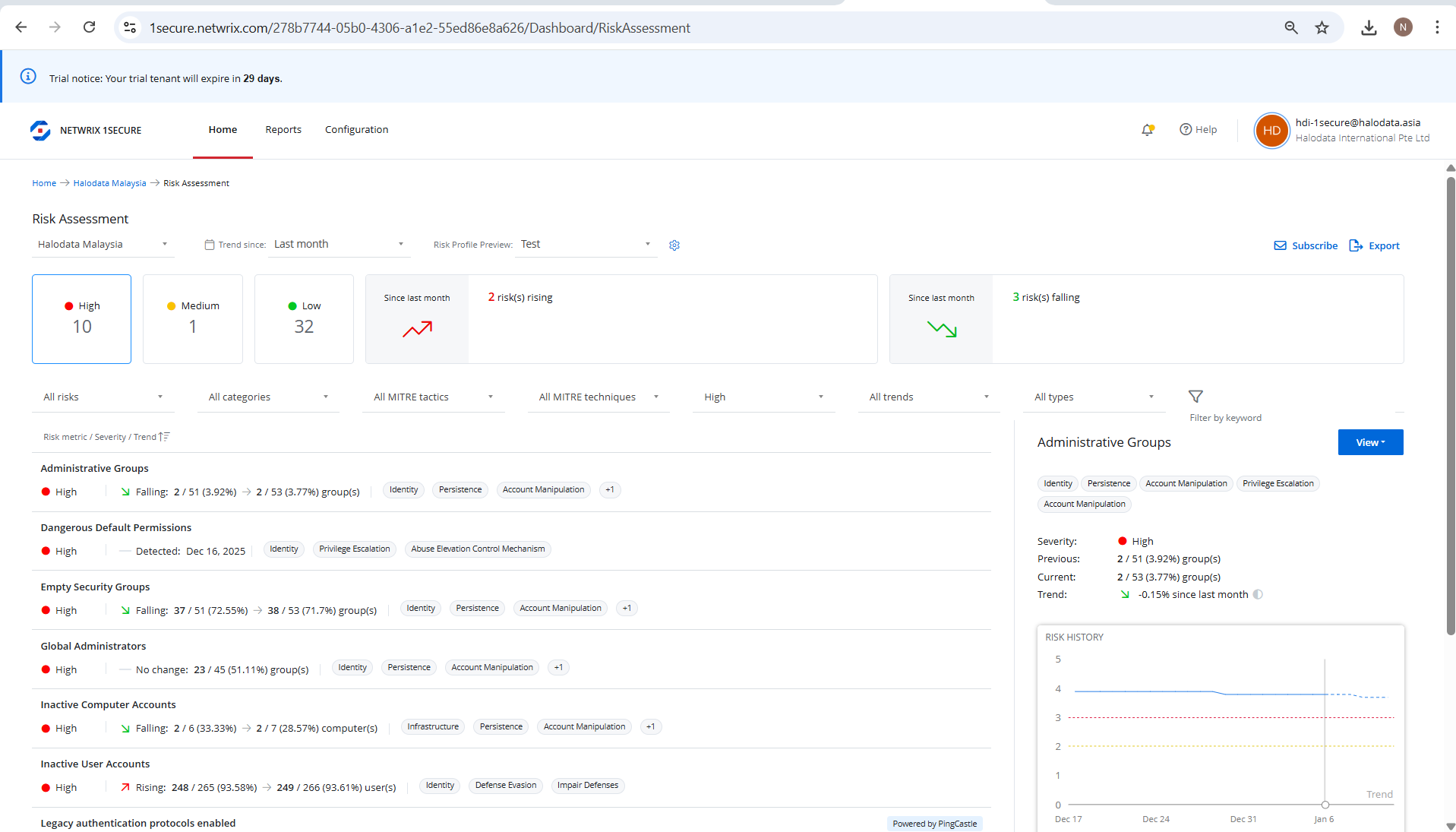
I have identified the risk metric under my Risk Profile. For example - ‘ User Accounts with “Password Never Expires”
I have tried modifying Low-medium-high values, however, the metric is still not visible under risk assessment.
Please note - When I browse for the report, I do get the report that shows = ‘ User Accounts with “Password Never Expires” . However- my use case is - need this under ‘ risk assessment’.
Please note - Have already tried using filters, catagories, graphs, etc on ‘Risk Assessment’ dashboard.
Hello nrparande and welcome to the Netwrix Community!
I went ahead and completed the same test that you did and it did work for me. I created a new risk profile and changed the threshold for the Users with Password Never Expires and I went back to the Risk Assessment and it did update for me.
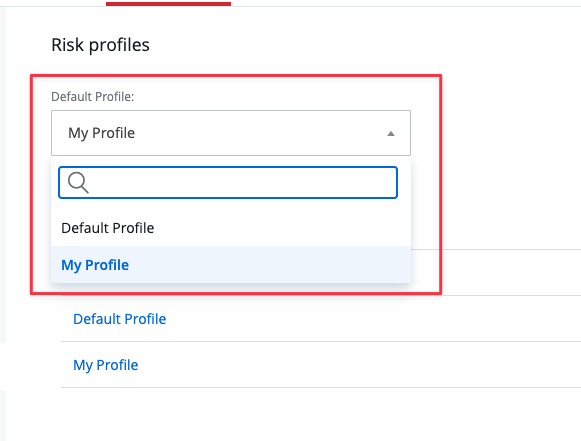
I do have a quick question though. Did you change the active profile to your new profile?
In Risk Profiles, you do have to pick the Default Profile. When adding a new one, the Default Profile still remains the default one unless you change it.
I went back to the Risk Assessment and it updated that risk
If you’ve done these steps and it’s still not working, please let me know and I can open a support ticket for you and we can look at your tenant with you to see what might be going on.
Michael Purdin
Manager, Technical Support Engineering