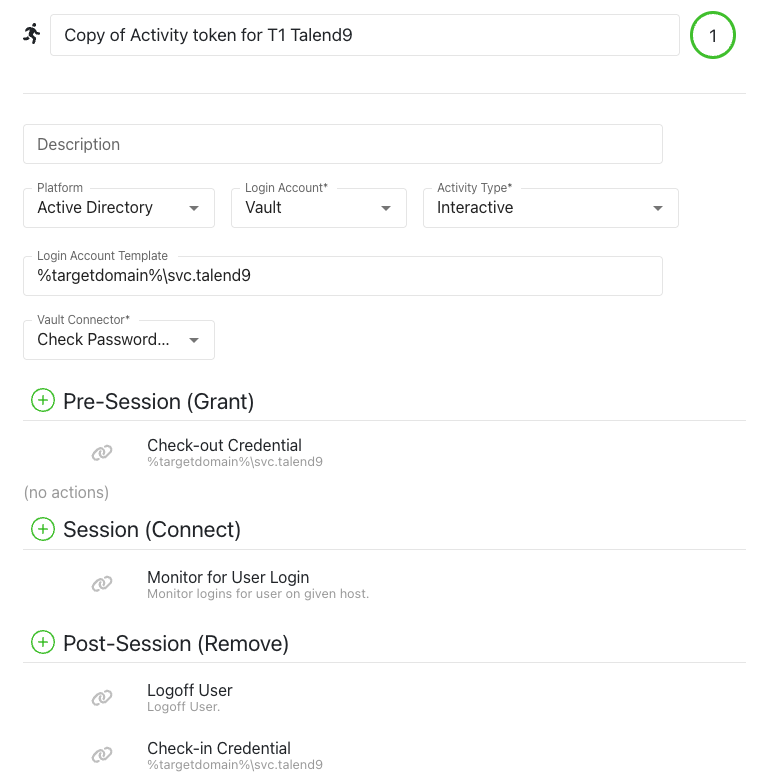
We have a service account in AD that should not be automatically managed, but can be manually managed or not managed at all. With this user, we need connect via rdp to a machine. However, if we create a managed type activity, such as pre-session and post-session, there is an option that cannot be changed that disables the account, which is not what we want. If instead, I create the activity as a requester and set it to custom, it allows access correctly but prompts for the access password, which I would prefer not to enter each time. Is there another way to ensure direct access?
You’ll want to utilize our Bring Your Own Vault (BYOV) feature, which will allow you to provision an RDP session with a manually managed account, and the password will automatically get pulled from the Privilege Secure vault.
Just make sure you don’t implement the “Checkin Instructions (Optional - for Password Rotation)” section of the article, as that will cause the password to rotate (if you’re trying to avoid that).
You’ll also need to edit line 12 of the “Checkout Script Block” so that the “InsecureAllowServiceAccounts” variable is “true”:
I noticed that as soon as it attempts to log in, the AD account becomes locked. Conversely, if I perform the standard activity as a requester and enter the password, everything functions correctly.